Every tool, one flow. Standardize how your team ships.
C-Helper connects the tools your company already uses, evaluates requirements and tasks with AI, and turns scattered habits into standard, repeatable flows — for development, management, or any process that needs consistent writing.
Works with the tools you already use
C-Helper reviews and prepares work before it enters Jira
01
Connect your tools
Plug in GitHub, Slack, Notion, Trello and Google Docs in minutes. C-Helper reads across all of them, so requirements, tasks and docs live in one place — without asking anyone to migrate.
02
Evaluate requirements and tasks
AI reviews every requirement and task against your team's standard: missing acceptance criteria, vague scope, duplicate work. Problems are flagged before they reach a sprint, not after.
03
Standardize every flow
Define how your company writes tickets, specs, and handoffs once. C-Helper applies the template everywhere — development flows, management flows, or any process that needs one consistent voice.
Step 1
Connect
Link your tools with one click each. C-Helper syncs requirements, tasks and docs into a single view.
Step 2
Set the standard
Pick a template or define your own: how tickets are written, what a spec must contain, who signs off.
Step 3
Let it run
AI evaluates new work as it lands, flags gaps, and keeps every flow on the standard — automatically.
The more your team uses C-Helper, the sharper it gets.
Every task you create, edit, and validate trains the environment. C-Helper notices patterns in your feedback — what you mark as incomplete, what you rewrite, what you approve — and tightens its suggestions to match your team's real standards.
- Learns from every task — rewrites and flags align closer to your voice as you edit.
- Adapts from validation — approvals and rejections calibrate the AI so it stops guessing.
- Grows with your process — new workflows, edge cases, and handoffs are absorbed automatically.
An editor for your process
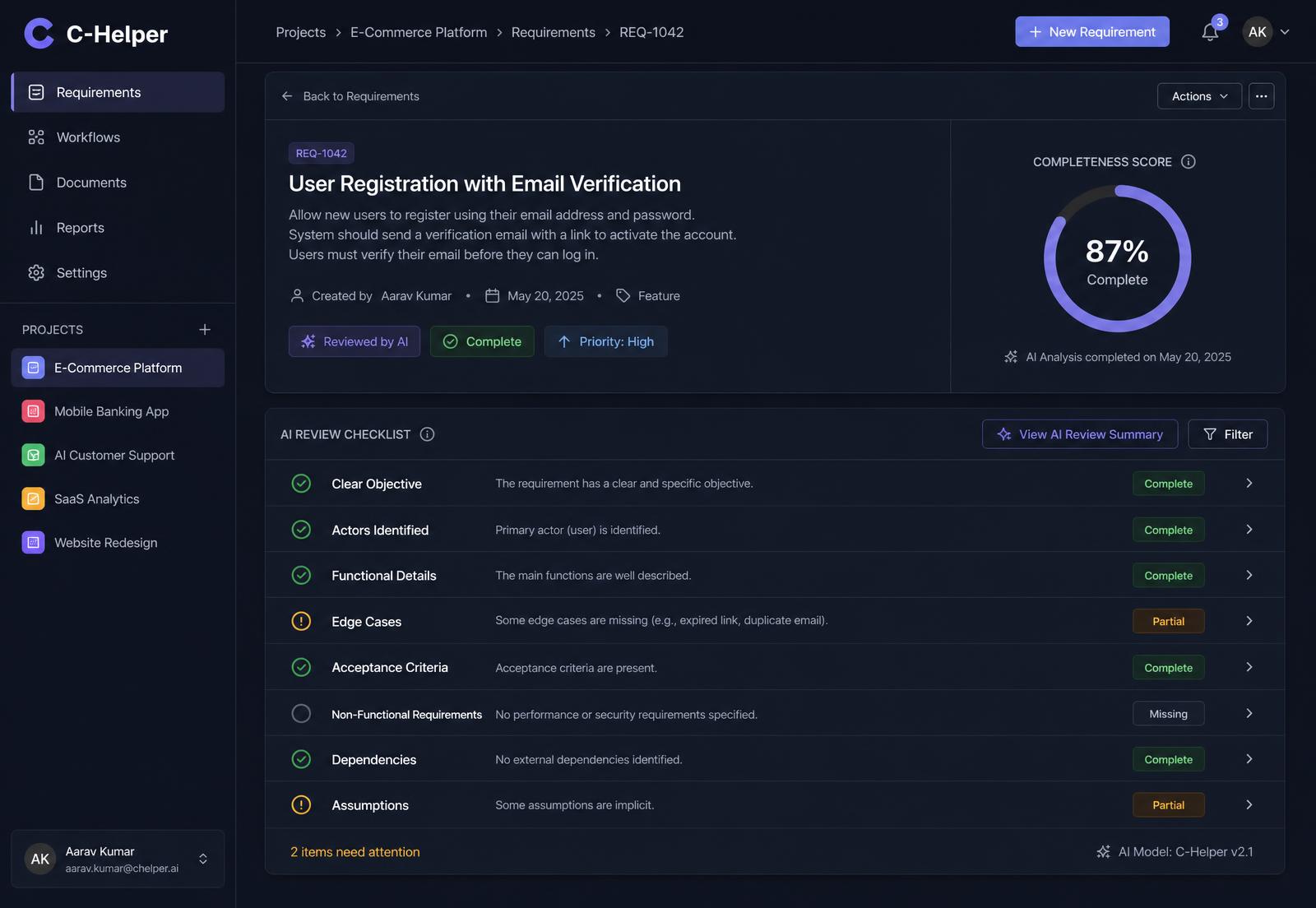
C-Helper's AI works like a reviewer who has read every document your team ever wrote. It rewrites to your standard, scores what's incomplete, and drafts the boring parts so people can focus on decisions.
- Rewrites tickets and specs to your house style
- Scores requirements for completeness and clarity
- Drafts task breakdowns from a single requirement
One price shape, four sizes
Every plan includes a base set of users and projects. Add more users as you grow, or use your own API key for unlimited usage.
Starter
$39/ month
2 users included · extra seats unavailable
- 2 projects
- 300 credits / month
- Credit top-up packs
- All integrations
- Standard templates
Teams
$119/ month
10 users included · +$12 per extra user
- 10 projects
- 1,200 credits / month
- Credit top-up packs
- All integrations
- Custom flow templates
Business
$349/ month
25 users included · +$10 per extra user
- Unlimited projects
- 5,000 credits / month or use your own API key, unlimited fair-use
- Credit top-up packs
- All integrations
- Priority support
Enterprise
$499+/ month
Annual · SSO & audit log
- Unlimited projects
- Use your own API key, unlimited fair-use
- Custom seats & security review
- Dedicated onboarding
- SLA & priority support
Prices in USD. Starter, Teams and Business are billed monthly. Enterprise is annual. AI credits reset each month; usage beyond your plan's credits is charged per use unless you use your own API key.
What is an AI credit?
One credit covers one AI action — evaluating a requirement, rewriting a ticket, or drafting a task breakdown. Credits reset monthly; anything beyond your plan is billed per use.
How does per-user pricing work?
Each plan includes a base number of users. Teams adds extra users at $12/month each; Business at $10/month each. Starter does not support extra seats. Enterprise seats are custom.
Do I have to migrate my data?
No. C-Helper works on top of GitHub, Slack, Notion, Trello and Google Docs. Your work stays where it is; C-Helper reads, evaluates and standardizes across it.
Is this only for development teams?
No — any team with a process that needs consistent writing benefits: engineering, product, operations, legal intake, or hiring flows.
Put your process on rails
Get started — connect your first tool in five minutes. Or leave an email and we'll send a short walkthrough.